
-

Blog
Five World Cup Lessons to Apply Before the Next Big Match

With Multi-Factor Authentication launching for Zonal PMS on Tuesday, 22nd September 2026, we’ve pulled together some responses to some frequently asked questions that may arise during the setup.
e.g. “Session has expired”, or “invalid challenge transition”
Your login session has timed-out and expired. Go back to https://live.high-level-software.com/login and start a new one.
The clock on the computer logging in has to be correct
Passkey – it’s faster and more secure
Yes, most modern operating systems support multiple passkeys on a single computer. So you can have a passkey for each member of staff who uses the same computer to access the PMS.
If you don’t have a valid e-mail address you can’t reset your own password. You will need to ask a site manager to trigger a reset for you. If you have a valid e-mail address you will need to:
A staff members authentication credentials can be fully reset via the following steps.
Please note that setting a new password will also reset this user’s TOTP MFA (and passkey, if applicable) — they’ll need to set these up again on next login.
We strongly advise having an individual account for every member of staff. Your PMS license allows any number of hotelier logins, so please do create one for every member of your staff. This will ensure a proper audit trail, and avoids additional complications with authentication and MFA. Any Manager level account can create new hoteliers accounts for your site.
If you have no option but to share an e-mail address, you can create individual PMS accounts using an e-mail address modification as follows: (e.g. for Fred and Jane)
Both of these should go to reception@therustyferret.co.uk
In this case Fred and Jane can still have individual PMS logins, and individual MFA authentication credentials.
If this is impossible then you may wish to consider a desktop-based TOTP app, so that it can easily be used by all users of the computer.
TOTP app recommendations, including for desktop, are included below.
Time-based One-Time Passcodes (TOTP) is a computer algorithm that generates a one-time password (OTP) using the current time as a source of uniqueness; a 6 digit random code is generated every 30 seconds by an app on your smartphone or computer.
Find out more about time-based one-time passwords here.
You’re welcome to use any TOTP compatible authenticator app you’re comfortable with. You may already use one approved by your organisation, these are simply recommended free options.
2FAS Authenticator
Microsoft Authenticator
Desktop apps
Most Password Managers support TOTP
Functionality is generally available within both their mobile and desktop apps, and browser extensions
As summer draws to a close, hospitality operators are entering one of the most important transition periods of the year. Families return to their routines, schools reopen, university students arrive in new cities, and consumer habits begin to shift from sunny beer gardens and spontaneous visits to planned social occasions and value-conscious spending.
For pubs, bars, restaurants, and quick-service venues, this seasonal change presents a valuable opportunity to reconnect with existing guests, attract new audiences, and build loyalty ahead of the busy autumn and festive trading periods.
The question is: how can businesses make the most of it?
The transition from summer to autumn often brings a change in customer priorities. Consumers become more budget-conscious, routines become more structured, and guests are increasingly looking for value-driven experiences that fit around work, education, and family commitments.
At the same time, research from Zonal highlights that loyalty, personalisation, and customer experience remain key factors influencing where guests choose to spend their money. In a challenging economic environment, brands that consistently deliver relevant offers and rewarding experiences are more likely to retain customers and increase visit frequency.
For operators, this means moving beyond blanket discounts and focusing on targeted engagement strategies that appeal to distinct customer groups.
September marks the arrival of thousands of students into towns and cities across the UK. Freshers represent more than just a short-term sales opportunity. They are potential long-term customers who may spend several years living, studying, and socialising within your catchment area.
To attract this audience:
Create Student-Friendly Promotions
Students are actively seeking value as they settle into university life. Consider:
Using Zonal’s Promotions functionality, businesses can create targeted offers that encourage trial visits while protecting margins.
“Multiple tiers could be set up to target specific societies within a university. By having unique rewards for a society, they can help build a great affiliation. This could help target specific days when they train and in return help drive trade for quieter periods – typically midweek.
An attractive sign-up offer can really go a long way to a successful launch of a loyalty program. This can either be a free item for registration or additional currency/ points. Points and Currency rewards can be delayed to the following day after sign-up. As well as delaying the reward, an expiry can be set. This helps target return footfall and spend in a short period.
A ‘points for spend’ would be a fantastic way to encourage spending in the venue. These points could be then exchanged for items or converted into currency to spend across the venue. This would give the students something tangible to aim for. Double points can be offered at specific times to drive sales in quieter times. Double point offers could also be applied to specific sites at specific times. For example, food venues on a Tuesday evening could be made available when the venue might usually be quieter.
Due to the very nature of the sales being very term time led, this can lead to items (specifically food) perishing and lead to food waste. If there is a lot of specific items left that is going out of date after the term, rewards can be created specific to these items to help sell them.”
Rather than focusing solely on acquisition, think about retention from day one.
Loyalty programmes allow operators to encourage repeat visits through points, rewards, exclusive benefits, and personalised offers. Zonal’s Loyalty platform enables businesses to track customer behaviour, reward engagement, and build a richer understanding of guest preferences.
A free birthday drink, rewards for repeat visits, or incentives for referring friends can all help turn first-time visitors into loyal advocates.
Today’s students expect frictionless experiences. Mobile ordering, digital engagement, and seamless payment experiences can significantly influence venue choice.
Making it easy for guests to book, order, pay, and receive relevant communications helps create a customer experience that matches modern expectations.
While students are settling into university life, families are returning to school routines and looking for ways to balance convenience, value, and quality time together.
Operators can appeal to this audience by:
Introducing “Back-to-Routine” Offers
Examples could include:
These promotions help drive footfall during quieter trading periods while giving families a compelling reason to choose your venue.
Making Booking Easy
As schedules become busier, convenience becomes increasingly important.
Encouraging guests to pre-book family meals, Sunday lunches, or special occasions can help secure future revenue while improving operational planning.
One of the biggest opportunities this autumn lies in making better use of customer data. Many hospitality businesses already hold valuable information about their guests, but those insights often remain underutilised.
Research from Zonal’s loyalty and consumer insight programmes continues to show that guests respond positively to relevant, personalised engagement rather than generic marketing messages.
For example, instead of promoting the same offer to everyone, businesses can tailor campaigns based on visit frequency, spend history, or customer preferences.
While discounts can drive short-term footfall, the most successful autumn campaigns focus on creating memorable experiences.
Industry research indicates that many operators plan to use seasonal promotions as a key revenue driver, recognising that consumers continue to seek experiences worth leaving home for.
The goal should be to create reasons for guests to visit that extend beyond price alone.
September is more than just the end of summer. It is the start of the run-up to the busiest trading period of the year.
By combining targeted promotions, loyalty initiatives, customer insights, and seasonal experiences, operators can position themselves for a strong final quarter.
As the seasons change, so do customer behaviours. The businesses that thrive are those that adapt quickly, understand their audiences, and use technology to deliver the right message, to the right guest, at the right time.
Whether you’re welcoming freshers, reconnecting with families, or nurturing loyal regulars, now is the perfect moment to turn seasonal change into commercial opportunity.
With the right mix of promotions, loyalty, personalisation, and guest experience, autumn could be your most successful season yet.
Blog
Five World Cup Lessons to Apply Before the Next Big Match
Blog
Two businesses under one roof: The importance of joined up F&B and accommodation for pubs with rooms

Research
GO Technology: Game On – How Hospitality Can Win at the World Cup
Blog
Tech that Powers Tips and Empowers Your Team
Blog
Pubs with Rooms: A Growth Opportunity


Guides
Whitepaper: Diversifying in the Hospitality Industry to Meet Rising Costs
Blog
Understanding Guest Loyalty in 2026

Webinars & podcasts
Beyond the Stay: How trends & tech are reshaping Holiday Parks

Blog
Why Hospitality Cannot Afford to Ignore the New Tipping Consultation
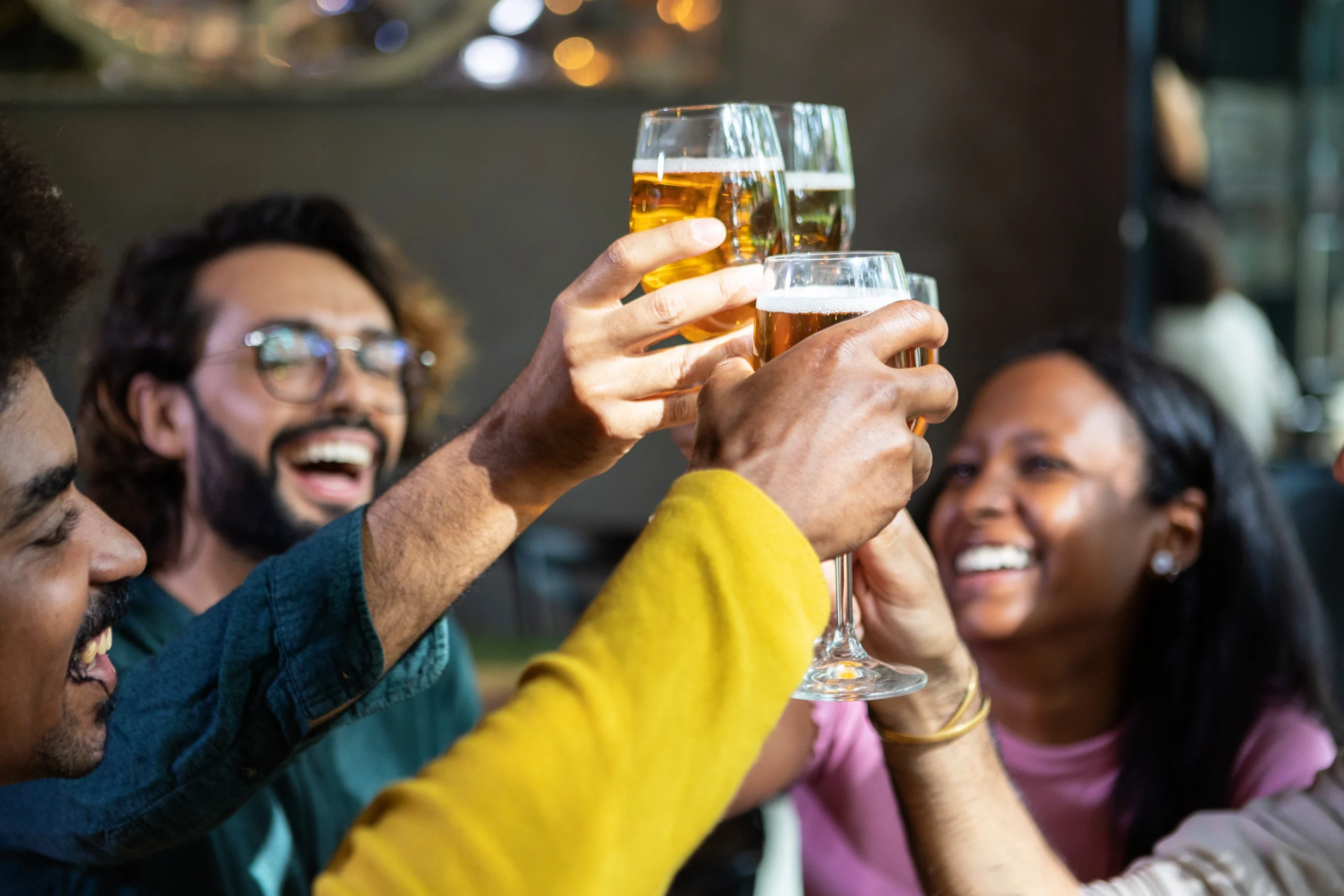
During the World Cup, pubs and bars faced one of the busiest trading periods of the year, with an estimated 9.3 million consumers making plans to watch the World Cup in a hospitality venue. This additional demand for a visit to the pub provided a significant opportunity for operators, so as part of our GO Technology consumer research produced in partnership with NIQ, powered by CGA intelligence, we surveyed 5,000 British consumers to find out what would get them through the door to watch the tournament, and what would keep them coming back.
With the tournament finished, and more football kicking off soon, the value now is in applying those learnings before the next big match, so businesses can be ready for the demand that live sport brings.
Make Bookings effortless
Our research found that around a third of hospitality viewers (32%) said the ability to book a table increased their likelihood of visiting a venue. For a pub estate, giving fans a way to book ahead secures demand ahead of time rather than relying on walk-ins, and allows businesses to better plan staffing and stock requirements.
But the benefits of booking systems don’t stop there. They can also help make better use of the room itself, allocating tables based on the booking rather than on a first come, first served basis, so more of the space gets used well on a busy night. Spend can move beyond the pint too: pre-paid extras, from a reserved spot by the big screen to a food and drink package, can be booked in advance, and we’ve previously seen an average 15% uplift in basket spend from guests who pre-order.
Convenience drives spending
Our research also found that 31% of guests said they’d be drawn in by the chance to order food and drinks without leaving their seat. When guests are engrossed in the game, the last thing they want is to miss a key moment while waiting at the bar.
At-table ordering lets guests order and pay digitally from their seat, with the order sent straight to the bar or kitchen screen. Making it easy for customers to order a second round or a snack, upselling extras at the right point in the ordering journey and complete a payment from their own devices helps drive incremental spend throughout the game by eliminating that potential pain point of missing a key moment. It helps on the staff side too: less time spent taking orders means more time spent on the ones already placed, so more rounds get through during a match.
Loyalty matters on match day
Loyalty schemes proved a real, if smaller, visit motivator too. 22% of consumers watching in pubs and bars said loyalty rewards were a reason to visit. A big communal occasion like this doesn’t come round often, and it’s a chance to turn one-off visitors into regulars, but only if the scheme is ready before guests arrive.
A loyalty scheme works because it gives a guest a reason to come back and use the rewards they’re already earning, rather than trying somewhere else. Match days are a natural moment to make that reason stronger, whether that’s double points or a bigger reward tied to the occasion, landing the incentive right when demand is highest. Loyalty schemes do more than encourage repeat visits too: they’re one of the best ways to gather guest data, from contact details to how often someone visits and what they order, and that data can then feed into marketing activity, such as offering early access to bookings for the next big event.
The pre-order opportunity
Just over a fifth of guests, 21%, said they’d be more likely to visit a venue if they could pre-order food or drinks. It’s a small addition that can make a real difference around a big date on the calendar: guests choose their food and drink when they book, so the kitchen has a clearer picture of what’s needed before service even starts. That takes some of the guesswork out of a busy night, and some of the spend is already in place before guests arrive. It’s worth setting the menu up in good time, so it’s ready whenever the next big occasion comes around.
Personalisation still has a place
Personalised offers were the smallest driver, at 17%, but they still matter. Every booking, order and loyalty sign-up creates a small piece of information about a guest: what they ordered, how they like to pay, how often they’ve been back. Brought together, that data can shape offers that feel relevant rather than generic, and cut out the obvious mismatches too; for example, not offering a beer discount to a cider drinker, or a burger deal to someone who only orders the veggie option. That’s the difference between a promotion sent to everyone and one that feels like it was made for the guest receiving it.
These aren’t habits that appeared for one tournament. Guests who wanted to book ahead, order from their table, and be recognised as regulars will want the same at the next big match, cup final or major sporting occasion. The operators who put these learnings into practice now will be the ones ready when it does.
To learn more about how Zonal’s connected technology could help your pub estate make the most of the opportunities live sports can bring, get in touch today.
Blog
Back to Business: Winning Guests as Summer Ends and Student Season Begins
Blog
Two businesses under one roof: The importance of joined up F&B and accommodation for pubs with rooms
Research
GO Technology: Game On – How Hospitality Can Win at the World Cup
Blog
Tech that Powers Tips and Empowers Your Team
Blog
Pubs with Rooms: A Growth Opportunity
Guides
Whitepaper: Diversifying in the Hospitality Industry to Meet Rising Costs
Blog
Understanding Guest Loyalty in 2026
Webinars & podcasts
Beyond the Stay: How trends & tech are reshaping Holiday Parks
Blog
Why Hospitality Cannot Afford to Ignore the New Tipping Consultation
Accommodation has moved firmly up the agenda for pub operators. At MA Leaders in Glasgow earlier this year, it generated more conversation than almost any other topic, and for good reason. Our research shows that 41% of operators are planning to add rooms in the next 12 months. Across the UK, the sector already spans an estimated 5,700 properties and 50,000 rooms. The opportunity is there for pubs to capitalise on this demand.
But in our experience of working with pub groups that offer accommodation, the ones achieving strong returns from their rooms aren’t doing anything fundamentally different. What really sets them apart is how well their technology connects the guest journey from the moment of booking to the moment of checkout.
Pubs with rooms occupy a genuinely distinctive space in the accommodation market, combining the desire for authentic experiences with higher quality food and drink options. That is a real commercial advantage. The problem is that many operators aren’t fully capitalising on it.
This normally takes the form of disconnected systems, and the result is familiar: guests aren’t prompted to book a table as they book their room; restaurant bills can’t be charged back to accommodation; operators lose visibility of what guests are actually spending across their stay.
With fragmented systems, a guest who stays for three nights and eats in your restaurant twice could look, in your data, like a low-frequency occasional visitor. The result is missed revenue, missed insight, and a guest experience that feels like two separate businesses operating under the same roof. The operators we’ve seen performing best have moved away from that model entirely, with property management, EPoS, table reservations, payments and loyalty all fully connected.
Integrated tech that joins up your rooms and F&B open up additional revenue opportunities throughout the customer journey, across many different touchpoints. In-room ordering is a good example. When guests have a frictionless way to order food and drink to their room, such as an app or web ordering platform directly connected to the POS, we consistently see a £5 to £7 per head uplift compared with restaurant dining alone. In addition to this increased spend, 37% of guests say they are more likely to order food to their bedroom when the option is presented to them. Without this channel, operators are leaving that revenue on the table, or even potentially losing it to third-party delivery platforms.
The booking journey itself is another area where integration makes a measurable difference. Giving guests the option of booking a table at the same time as their room whilst they’re already in ‘buying mode’ is a great way of driving further incremental revenue. That single change keeps more guests on-property for the evening and reduces the amount of revenue missed to nearby competitors.
Direct room bookings also provide a significant opportunity for optimising revenue. OTAs have a role to play in distribution, but every direct booking is a better-margin booking and, crucially, a guest whose data you’ve captured for further marketing use. Operators with fully connected technology across their PMS, EPoS and CRM are in a far stronger position to convert future stays, target returning guests, and build a direct relationship that bypasses third-party platforms.
One of the practical concerns operators raise when considering adding rooms is the staffing question: does this mean a dedicated front desk, and a separate system the bar team has to learn on top of everything else? The answer, with the right technology, is no.
With an integrated PMS and POS system, your existing bar team can handle check-in at the same EPoS terminal they use every day, in seconds, between serving other customers. No separate login. No drop in service quality during a busy shift. For multi-site pub operators managing estates without dedicated hotel infrastructure, that is a meaningful operational advantage.
One of the most valuable aspects of integrated F&B and accommodation tech is the breadth of loyalty and data opportunities that are unlocked. When accommodation spend, restaurant spend and bar spend all feed into a single guest profile, operators can start to understand their guests in a way that genuinely changes how they market and how they serve. Across the industry, properties using integrated guest data report 23% higher repeat visit rates. When accommodation spend, restaurant spend and bar spend all feed into a single guest profile, operators can start to understand their guests in a way that genuinely changes how they market and how they serve. Across the industry, properties using integrated guest data report 23% higher repeat visit rates. When a guest’s full stay is visible in one place, the marketing becomes more targeted, loyalty is boosted, and guests have more reasons to return for another visit.
Knowing which guests dine regularly but have never booked a room, and having a campaign ready for them, is exactly the kind of commercial intelligence that a fully connected system makes possible. Without it, that opportunity simply doesn’t exist.
To find out how Zonal’s connected technology is helping multi-site pub operators maximise revenue across rooms and F&B, speak to our team.
Blog
Back to Business: Winning Guests as Summer Ends and Student Season Begins
Blog
Understanding Guest Loyalty in 2026
Webinars & podcasts
Beyond the Stay: How trends & tech are reshaping Holiday Parks
Webinars & podcasts
Why 6:12 pm is the new 8 pm research webinar

Webinars & podcasts
Late-night safety in hospitality
Guides
The Loyalty Landscape

Research
GO Technology: The social value of hospitality

Webinars & podcasts
People Make The Experience: How Your Staff Drive Customer Loyalty

Webinars & podcasts
It Should Feel Like Magic, Not Marketing: Personalisation, Loyalty & Data in Hospitality

Guest blog by TiPJAR
It was a fairly ordinary Sunday afternoon about a year ago when I took my parents out for lunch.
We headed to The Mill in Exeter, part of the St Austell Brewery estate, for what turned out to be a genuinely brilliant Sunday roast. As the bill arrived, complete with service charge, my dad leaned over to the waitress and quietly asked:
“Before we pay this, do you actually get the tip, or should we go and get cash?”
Having already introduced myself as someone from TiPJAR, the waitress and I exchanged a slightly amused look and reassured him, yes, the tips were fairly distributed to the team.
My dad is a classic baby boomer; practical, generous, and quietly sceptical of technology. But his question reflects something we hear all the time in hospitality: do digital tips really reach staff?
The answer is yes.
Tipping itself hasn’t disappeared in the digital age, it just evolved.
According to Zonal’s People vs Tech research, 92% of people say they tip when dining out. Among younger guests, that rises to 95% of Gen Z, while even 90% of baby boomers still tip.
The desire to reward good service clearly hasn’t gone anywhere. The way people pay, however, has.
While 73% of guests say they would tip with cash spontaneously, the reality is that very few people carry cash regularly anymore. Most of us have experienced that awkward moment of wanting to leave something extra but are only carrying a card or phone.
That shift creates a real challenge, and opportunity, for operators. Because if customers want to tip but can’t do so easily, your team misses out.
And when teams miss out on tips, businesses miss out too.
Integrating digital tipping as a seamless part of service removes any chance of friction.
Good tipping programmes help businesses attract and retain talent, improve motivation, reward great service and ultimately improve guest experience. Better guest experience tends to mean better reviews, repeat visits and stronger commercial performance.
At TiPJAR, we see the impact of this every day:
TiPJAR customers who used Tap To Tip devices collectively distributed £44,000 in tips in April 2026 alone.
Historically, managing tips and troncs could be admin-heavy. Operators relied on spreadsheets, payroll workarounds or a tronc master manually handling distribution. It worked, but it was rarely seamless.
Modern systems like TiPJAR’s Supertronc™️ automate things, making tip allocation fair, transparent and fast, while helping operators stay compliant and reduce administrative burden.
For operators, the important point is this: technology is something to embrace and harness, when it comes to tipping.
In reality, tipping is already powered by technology. Operators just need to meet customers where they are.
Guests are ready to tip. Teams want fair access to tips. And operators who embrace modern tipping systems can unlock benefits that go far beyond gratuities alone, from retention and morale to stronger reviews and measurable bottom-line impact.
Great hospitality deserves to be recognised, and in 2026, the easiest way to make that happen is to make tipping effortless.

Chief Commercial Officer at TiPJAR
Dan brings deep industry experience. As Chief Commercial Officer at TiPJAR, he champions fair tips and tronc across hospitality, and as a former operator, he understands the pressures operators deal with day to day.
Blog
Back to Business: Winning Guests as Summer Ends and Student Season Begins
Blog
Two businesses under one roof: The importance of joined up F&B and accommodation for pubs with rooms
Blog
Understanding Guest Loyalty in 2026
Webinars & podcasts
Beyond the Stay: How trends & tech are reshaping Holiday Parks
Webinars & podcasts
Why 6:12 pm is the new 8 pm research webinar
Webinars & podcasts
Late-night safety in hospitality
Guides
The Loyalty Landscape
Research
GO Technology: The social value of hospitality
Webinars & podcasts
People Make The Experience: How Your Staff Drive Customer Loyalty
With 2026 fully underway, and millions of tourists preparing to explore the UK, the desire for meaningful travel has never been stronger. Quintessentially British pubs with rooms answer that call, blending comfort with character in a way other accommodation simply cannot. Inns, pubs with rooms, whatever you want to term them, don’t just provide a bed for the night, they welcome guests into a uniquely British experience, where comfort meets community and every visit feels personal.
In 2024, 22% of consumers stayed in a pub, showing that the demand for this accommodation offering is becoming more popular. Given that the UK forecasts 45.5 million international visitors in 2026, with overseas visitors spending £35.7 billion during their stays, this is a significant market that pub operators can target alongside the British staycationer.
What makes pubs stand out is their authentic link to local life. Unlike other types of accommodation, they offer insights that algorithms can’t replicate. And, whether it’s scenic spots that are off the beaten track, a hidden gem that many miss, or how to navigate local public transport, it’s pub teams that have the deep knowledge of the surrounding area and can offer insights that go far beyond what’s available online.
These personal touches enrich the guest experience in ways that digital platforms cannot reproduce. In fact, our research shows that 78% of consumers are likely to seek local information and recommendations during their stay. This is especially true among older guests, who place a high value on human interaction and personal advice. A third (34%) of those staying in pubs or interested in doing so are aged 55 to 64, and nearly as many (31%) are 65 or over, underscoring the importance of authentic, face-to-face engagement.
Staying in a pub isn’t just about finding a place to sleep, it taps into the desire for authentic travel experiences and an all-round, quality night away. Pubs stand out for their food and drink offerings, with 67% of consumers ranking them as the best among all accommodation types, more than double the number who favour hotels. By offering both accommodation and F&B, pub operators can join these aspects together to create memorable experiences for their guests, and support them with integrated technology.
Integrated booking systems for both rooms and tables give guests the opportunity to book a table in the pub’s bar or restaurant whilst they’re booking their room, allowing operators to maximise the exposure of a pub’s F&B offering by marketing both arms of the business as one joint offering, as well as ensuring guests choose to eat in the pub, rather than going elsewhere to dine.
Connected systems can also offer operational improvements for pubs alongside streamlining guest experiences. One of the first touchpoints guests encounter on arrival is check-in which, when done right through an easy, frictionless journey, can help to set the tone for the rest of the stay. With integrated EPoS and PMS systems, pubs can offer their teams the ability to check-in guests at the bar through any POS, saving staff time by removing the need to swap to a different system, and giving guests more flexibility, as well as a more authentic experience on arrival.
Through this integrated technology, pubs can post any F&B bills to a room and allow guests to pay for their meals and drinks at check out. This gives guests a more seamless experience during their stay as it eliminates a stage of the customer journey that can be prone to causing frustration, with previous research showing that 77% of guests find having to wait to receive and settle the bill to be a bugbear, and further encourages engagement with the pub’s F&B offering, which is a key draw of a pub stay.
Whilst chain hotels fill a particular need for guests, pubs, whether nestled in the countryside or standing proudly on bustling high streets, offer connection, character, and a slice of heritage that turns an overnight stay into an experience. Some 39% of UK consumers already believe pubs offer a more authentic local experience than other types of accommodation, highlighting the value of these venues in today’s travel landscape.
Hospitality is at the heart of the pub experience, with 79% of guests saying friendly and welcoming staff are a key reason for choosing pub stays. This warmth and familiarity create a sense of belonging that is difficult to find in more corporate accommodation settings.
The first impression a guest has of your pub often begins long before they walk through the door. It starts with a booking, and for 53% of people, complicated booking systems are a barrier. Whether it’s a table for two or a room for the weekend, that process needs to be frictionless, as consumers have grown accustomed to intuitive platforms that anticipate their needs, and pubs can’t afford to fall behind. Integrated systems that manage availability, capture preferences, and respond in real time aren’t just ‘nice-to-have’, they’re essential. Technology isn’t replacing hospitality, it’s amplifying it.
Value matters too. Over two in five consumers believe pubs offer better value than other types of accommodation, placing them just behind camping in terms of perceived affordability. This combination of value, authenticity, and hospitality makes pubs with rooms a compelling choice for travellers seeking meaningful stays.
By embracing their role in the community and showcasing their local knowledge, friendly service, culinary offerings, and smart use of technology, pubs can position themselves not just as accommodation providers, but as curators of memorable experiences. For operators, the message is clear: lean into what makes your pub unique, not just the rooms, but the stories, the people, and the flavours that surround them.
Blog
Back to Business: Winning Guests as Summer Ends and Student Season Begins
Blog
Two businesses under one roof: The importance of joined up F&B and accommodation for pubs with rooms
Blog
Understanding Guest Loyalty in 2026
Webinars & podcasts
Beyond the Stay: How trends & tech are reshaping Holiday Parks
Webinars & podcasts
Why 6:12 pm is the new 8 pm research webinar
Webinars & podcasts
Late-night safety in hospitality
Guides
The Loyalty Landscape
Research
GO Technology: The social value of hospitality
Webinars & podcasts
People Make The Experience: How Your Staff Drive Customer Loyalty
With consumer spending squeezed and visit frequency down, finding ways to keep guests returning is a top priority for many hospitality businesses. Rising costs, increased competition, and tightened margins mean that these loyal customers – those that do visit repeatedly, and spend more when they do – are an incredibly valuable source of revenue.
But consumer loyalty is ever-shifting, and what guests want (and expect) is something that operators may not be able to easily keep track of.
Drawing on our quarterly research of over 5,000 British hospitality guests, here are four loyalty insights to help you better understand the hospitality loyalty landscape, and boost guest loyalty inside, and outside, your venues.
Loyalty is about so much more than just collecting points on purchases, or exclusive deals. It’s also building connections with customers, and making them feel valued. In fact, 54% of consumers we’ve spoken to told us that they’d be more likely to return to a venue again when they feel personally valued by a brand during their visit.
This emphasis on connection is further backed by our recent GO Technology research People vs Tech in 2026, where human interaction has become increasingly important for guests during their visits to hospitality venues. Just under half of respondents (48%) said that human interactions are the most critical factor during their visits to hospitality – a rise of 19% since we last asked this question in 2023.
But how do venues deliver this connection that makes consumers feel personally valued? It’s the small touches that resonate the most – a birthday treat, personalised messages and offers on items guests like the most, giving them a choice in where to sit, or even just remembering them when they visit.
All of these little touches come together to help deliver a more memorable experience for guests which, ultimately, drive brand advocacy and keep them coming back for more.
Loyalty is hard earned, but even once it’s established, it can be fickle. 61% of consumers say that encountering problems during a visit would lead them to visit less (or even never visit again), meaning that it’s important to get the fundamentals of good hospitality right every time, alongside delivering memorable experiences.
This is especially true during the current cost-of-living crisis. Previous research has uncovered that since the start of the cost-of-living crisis, 16% of guests are less loyal to hospitality brands, however 52% have higher expectations of the brands they are loyal to.
Greater emphasis should therefore be placed on staff training, helping to ensure that your teams are delivering a consistent level of service that matches guest expectations.
Whilst guests may love what you do, they are shopping around for a better offer. 1-in-3 guests told us that they are likely to switch their loyalty to another hospitality brand if they spot something better. This propensity to switch is slightly higher for restaurants, with 34% of guests likely to switch to a different restaurant brand compared to 29% for pubs and 30% for bars.
What’s particularly important to note here, is that more frequent users of hospitality are also the most likely to switch up who they’re loyal to. 41% of those that eat and drink out weekly say they are very or somewhat likely to choose a different venue, 17 percentage points higher than the 24% of those who go out less frequently.
These frequent users of hospitality are also the most lucrative, so securing their loyalty through a combination of delivering on hospitality fundamentals, and giving them memorable experiences, will be key.
47% of guests say that value for money is a key factor in their loyalty to hospitality brands, and with 90% of consumers open to joining a loyalty scheme, a loyalty scheme can be a great way of helping to enhance the value of your offering.
Currently, 58% of guests believe that loyalty schemes represent good value for money, and 47% have joined more loyalty schemes to save money since the cost-of-living crisis began.
But what types of loyalty schemes are popular with guests? Unsurprisingly, schemes focused on monetary rewards are the most popular, however there is demand for additional benefits that can increase engagement:
Which of these loyalty schemes do you find most appealing?
Despite consumers’ willingness to engage with loyalty schemes, barriers to entry do still exist for many.
A not insignificant 38% are put off by upfront membership costs, whilst a further 29% don’t want to be locked into subscriptions, and 22% feel that they wouldn’t get enough value out of signing up to a scheme. This apprehension around upfront costs can be a barrier for many operators where running an associated scheme will have costs associated with it, so it’s important to ensure that communications around the value any loyalty schemes offer are clear and compelling.
So, now that we’ve seen the insights, what are the main benefits a focus on guest loyalty can bring to your business?
Increased customer retention – Loyalty programmes encourage repeat business.
Increased share of wallet – Loyal guests spend more with you over time compared to the occasional visitor!
Valuable customer insights – Customer loyalty is also a great way to feed further marketing activity, providing valuable insights into customer preferences and behaviours, and helping you to tailor your offering to further build and enhance loyalty.
Click here to learn more about Zonal’s loyalty platform and how it could help you increase repeat visits and drive revenue!
Blog
Back to Business: Winning Guests as Summer Ends and Student Season Begins
Blog
Two businesses under one roof: The importance of joined up F&B and accommodation for pubs with rooms
Webinars & podcasts
Beyond the Stay: How trends & tech are reshaping Holiday Parks
Webinars & podcasts
Why 6:12 pm is the new 8 pm research webinar
Webinars & podcasts
Late-night safety in hospitality
Guides
The Loyalty Landscape
Research
GO Technology: The social value of hospitality
Webinars & podcasts
People Make The Experience: How Your Staff Drive Customer Loyalty
Webinars & podcasts
It Should Feel Like Magic, Not Marketing: Personalisation, Loyalty & Data in Hospitality
By Katie Linstead, Head of Services & Compliance, Grateful


Zonal partner, Grateful, is a next-gen tronc management and earnings platform built for hospitality to deliver unrivalled transparency for teams and ensure effortless compliance with regulations for operators across the UK. To coincide with the Government’s current consultation on tipping legislation, Grateful has written this insightful guest blog to outline what hospitality operators need to know and how they can contribute to the consultation document.
When the Employment (Allocation of Tips) Act came into force in 2024, it changed the landscape for hospitality businesses overnight. Allocation processes became more formalised, transparency moved from good practice to legal expectation, and record-keeping climbed higher on the operational agenda. At Grateful, we worked closely with operators across the industry to help them adapt. And now, before the dust has fully settled, the Government is consulting again.
This time, the focus is on strengthening the law further by introducing a mandatory duty for employers to consult workers on tipping policies, when creating or updating them, and at least every three years thereafter. Employers would also be required to provide an anonymised written summary of the views expressed.
On the surface, that might sound manageable. In practice, anyone who works in hospitality will immediately recognise the complexity.
The Real-World Challenge
Hospitality is not a typical employment environment. Teams are large, shifts are variable, staff turnover can be high, and many businesses operate across multiple sites and brands. When the original tipping legislation landed, there was genuine friction across the industry, something Grateful saw first-hand when supporting clients through implementation. In part, the friction arose because the statutory guidance didn’t always reflect how hospitality businesses actually operate. Some examples were unclear. In one instance, guidance even contradicted existing legislation.
The current consultation is an opportunity to correct that. The Government is asking not just about the new duty to consult, but about how the existing Code of Practice has worked in real life, on fair distribution, transparency, and the record-keeping burden. These are not abstract policy questions. They go to the heart of daily operations, and at Grateful, we hear about these challenges from operators regularly.
Achieving meaningful consultation across a dispersed, shift-based workforce raises questions that don’t have simple answers. How do you include seasonal workers? What about agency or casual staff, where guidance is still unclear? How do you ensure representative input from across all departments, rather than just hearing from the most vocal people in the room? These are exactly the kinds of practical challenges policymakers need to understand.
The Wider Picture
There are also stronger voices entering the debate. Trade unions have indicated they believe the proposed duty doesn’t go far enough, with some calling for formal collective bargaining over tipping policies. There are also calls to reconsider the burden placed on workers within the employment tribunal process.
Whether you agree with those positions or not, the direction of travel is clear: policy is being shaped right now, through active input. If hospitality businesses remain silent, their perspective risks being left out of the final framework entirely. Grateful has been vocal on this point — operators cannot afford to sit this one out.
Why This Matters
It would be easy to treat this as another regulatory task to file away. That would be a mistake. The legislation will proceed regardless of whether operators respond. The Code of Practice will be drafted. The requirements will come into force, likely in October. The only variable is whether hospitality businesses have a hand in shaping what that looks like.
The consultation invites responses from employers, workers and customers. Everyone in hospitality occupies at least two of those roles. That combined perspective is genuinely valuable, and real, practical examples from the ground will carry real weight. Grateful’s own whitepaper on the consultation, developed following our February 2026 webinar, outlines the key issues in detail and is available for any operator who wants to understand the full picture before responding.
Policymakers need to understand how distribution models work across multi-site groups. They need to know where previous guidance has created confusion. They need to hear from all parts of the business, not just the loudest voices.
What to Do Now
There is no immediate operational change required at this stage. But now is the time to read the consultation document, reflect on how your business has experienced the tipping legislation over the past eighteen months, and think through how formal consultation would actually work across your sites. Grateful is here to support operators through that process.
To find out more about the UK Government Consultation on Tipping, visit: Make Work Pay: strengthening the law on tipping – GOV.UK. Responses must be submitted by Wednesday 1 April 2026 and can be sent by email to tipping@businessandtrade.gov.uk or via the Government’s online platform. You can respond as an individual, as a business, or from multiple perspectives, what matters is that your voice is included.
Tipping sits at the intersection of compliance, culture and commercial reality. Getting the framework right requires input from those who live it every day. At Grateful, we believe this consultation is one of the most important opportunities the hospitality industry has had to shape its own regulatory future. The question is whether the industry will take it.
Katie Linstead is Head of Services & Compliance at Grateful, a tronc and tipping specialist supporting hospitality businesses across the UK.
This article is for general information purposes and does not constitute legal advice.
Blog
Two businesses under one roof: The importance of joined up F&B and accommodation for pubs with rooms
Blog
Pubs with Rooms: A Growth Opportunity
Guides
Whitepaper: Diversifying in the Hospitality Industry to Meet Rising Costs

Blog
Building a Year-Round Hospitality Business: Inside St Austell Brewery’s Accommodation
Blog
The power of personalised communication in driving loyalty

Research
Pub Accommodation Review 2025
Blog
Seamless stays and smooth operations: The impact of Zonal PMS on pub accommodation
Blog
Unlock new revenue: How accommodation can boost your pub business

Research
GO Technology: Hotels and consumers – Guest expectations and how to meet them
St Austell Brewery is shaping a modern pubs-with-rooms model built on great people, thoughtful accommodation and a seamless tech ecosystem. We spoke to Kes Osborne, Head of Operational Excellence at St Austell Brewery, to explore how support from Zonal’s technology is helping the business deliver smoother guest experiences and gain the insight it needs to serve guests year-round.

Stretching from Bath and Bristol, down through Somerset, Devon, and Cornwall to waterfront hotspots like St Ives and Lyme Regis, St Austell Brewery’s 160+ pub estate blends city centre energy with coastal escapes and rural hideaways. Guests get a true taste of the South West, with dramatic sea views, countryside walks, locally sourced produce and award-winning beers.
“I think our locations and our team make us stand out. We’ve probably got some of the best locations in the South West, right on the coast, on beaches and in the most popular towns.” says Osborne.
The locations matter, but the people are the key. St Austell Brewery invests heavily in training and progression so teams can build long-term careers, a culture Osborne has lived firsthand on his journey from GM to Area Manager and now Head of Operational Excellence. That peoplefirst approach underpins the consistent guest experience across a varied estate.

With such a broad estate, St Austell Brewery serves everyone from coastal tourists, families, business travellers and rural explorers, a mix that brings a pronounced seasonal rhythm through the booming summer period and quieter shoulder months. The challenge is to maintain consistency across all sites while navigating these peaks and dips, and to do it in a way that deepens the guest relationships.
This is where Zonal’s integrated technology has become increasingly important. As guest behaviour becomes more fluid and expectations more personalised, St Austell Brewery is using Zonal’s EPoS and PMS data, combined with HDI insights, to build a clearer picture of who is visiting, how they move across the estate and what they value at different points in their journey. By connecting room bookings with food and drink behaviour, the team can move beyond intuition to data-led decisions, from pricing, staffing and menus. The result is a more responsive, year-round operation that feels consistent and personal, no matter the location or season.
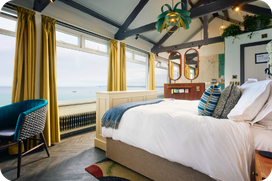
Accommodation has long been part of St Austell Brewery’s identity, from its earliest recorded site, The Seven Stars Inn, through to today’s estate of 29 pubs with rooms and 501 bedrooms. Rather than an add-on, it continues to be a defining feature of how the business brings its South West experience to life.
“The real value of having rooms sits in the depth of the connection it creates. Guests stay longer, return more often and give teams the chance to genuinely understand the purpose of their visit.” Says Osborne. These interactions shape the guest experience and strengthen the sense of place each pub embodies.
Accommodation also plays a strategic role, helping to balance out seasonal peaks and troughs. “Having people sleeping in your pubs in January is Gold.” Osborne notes, adding that a stable room base helps retain skilled people on consistent contracts, so sites can deliver at pace when peak season returns.
Running rooms at scale does bring challenges. Seasonal demand requires multi-skilled teams, and remote locations can make recruitment and logistics tougher. St Austell Brewery’s response to this is to invest where it counts, and to structure sites so housekeeping, reception and F&B operate as one cohesive unit.
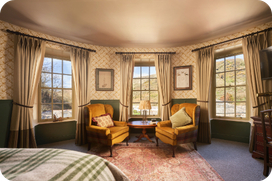
Behind the scenes, Zonal’s technology supports both guest experience and operational control. St Austell Brewery has long used Zonal tills, later extending its PMS platform across the estate.
“The whole onboarding team were really professional and handled the onboarding process with ease,” says Osborne. “They made it very quick and seamless when it came to creating a unified tech stack that integrated with our current systems.”
That integration now gives teams a single view of rooms and F&B. Practical benefits show up every day through simplified operations, streamlined billing and an easy check-in and check-out process. “Having accommodation and food and drink in one place is an absolute nobrainer.” Says Osborne. “It’s easier to use, it’s easier to take payments, and it’s easier to check people in.” With fewer workarounds and less confusion, teams spend more time on human hospitality, warm welcomes, good recommendations and the little touches that make a stay memorable.
Before implementing Zonal’s technology, a significant share of reporting was a manual and time-consuming process. Today, St Austell Brewery feeds Zonal data into Power BI alongside internal metrics, putting accommodation and F&B performance into one place. That shift enables cleaner tracking, sharper forecasting and quicker responses to what the numbers say, vital for seasonal businesses trying to plan staffing, purchasing and pricing with confidence. Just as importantly, reliable reporting reduces “noise” across the operation, resulting in fewer queries, fewer system-related complaints and more time with the guests.
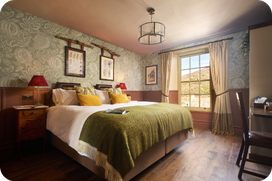
What makes the approach distinctive is that data is used to strengthen relationships, not replace them. By mapping out how guests interact with different touchpoints, from the initial booking right through to checking out, St Austell Brewery can deliver experiences that feel natural. Technology reinforces the human side of hospitality by giving teams context through a developing loyalty initiative and frequent offers, understanding who is visiting, why they have come and how to look after them.
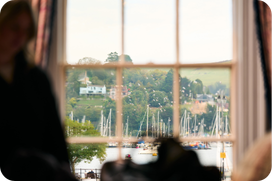
The most effective tech strategy starts with an understanding of what will improve the guest journey and improve day-to-day operations. Choosing Zonal technology will reduce manual, time-consuming tasks and drive operational efficiency to allow staff to focus on providing a real authentic experience for its guests.
“When running pubs-with-rooms, it’s about making sure you’ve got the right technology to market to your audience and the systems in place to offer seamless service when they are here,” says Osborne. “Above all, treating accommodation as the engine of a year-round business that supports staff retention and community relationships in the winter, will let operators deliver at pace when the peak season returns.”
Blog
Two businesses under one roof: The importance of joined up F&B and accommodation for pubs with rooms
Blog
Pubs with Rooms: A Growth Opportunity
Guides
Whitepaper: Diversifying in the Hospitality Industry to Meet Rising Costs
Blog
The power of personalised communication in driving loyalty
Research
Pub Accommodation Review 2025
Blog
Seamless stays and smooth operations: The impact of Zonal PMS on pub accommodation
Blog
Unlock new revenue: How accommodation can boost your pub business
Research
GO Technology: Hotels and consumers – Guest expectations and how to meet them

Webinars & podcasts
Podcast: The future of hotel management
Anyone who uses apps regularly knows the feeling: one day everything works perfectly, and the next day an update appears with the promise of “bug fixes” or “security improvements.” It can seem small – even easy to ignore – but behind the scenes, those updates are often what keep the whole experience running smoothly.
Just like a car needs regular servicing or a building needs ongoing maintenance, apps also rely on timely updates to stay secure, functional, and compatible with the technologies they connect to. Payment providers update certificates, operating systems evolve, and new security standards emerge – and staying up to date ensures your guests never feel a bump in the road.
To ensure that our White Label App remains remain compliant with Braintree’s policies, we have made the decision to set the global minimum version of White Label App to August 2025.
With that in mind, we’re making an important change to the White Label App’s global minimum supported version to keep everything secure and running reliably for your customers.
From the end of February 2026, if your White Label App older than August 2025 will no longer be able to use the app until they update via the App Store or Google Play Store.
This ensures that you are on a secure, supported version that can continue to process payments successfully.
Braintree’s SDK includes a certificate that keeps payment connections secure. The certificate used in app versions older than August 2025 is due to expire, which means that:
But there’s good news — Updating unlocks new features!
If your guests are not already using a recent version, they’ll gain access to a wide range of new features.
Note: Some features require configuration within iOrder. Our Knowledge Base and Customer Success team are here to help you enable them.
In June 2025 we created a short video to help highlight some of the great new features and functionality that have been released for our Order & Pay solution:

To minimise disruption and ensure readiness ahead of the global change, please follow these steps:
1. Upgrade your app (if older than August 2025)
2. Set your own minimum version in iOrder
Our Customer Success team can help get you the right support – whether it’s getting resource to help manage your upgrade, configuring features, or ensuring your guests transition smoothly.
Keeping your app up to date not only protects your business from service disruption but also ensures your customers enjoy the best experience possible.

Head of Customer Success at Zonal at Zonal
Natalie is the Head of Customer Success at Zonal. Having worked in the hospitality sector for 17 years, in roles ranging from front of house, business development, event co-ordination and leading a project team, it brings an understanding of how various teams operate. Specialising in Bookings, Natalie is passionate at ensuring users get the most out their systems and ultimately driving operational efficiency as well as bottom line. In her spare time, Natalie is on the management committee of a Community Owned Pub in North Wales, which brings with it a wealth of knowledge in experiencing the day to day issues and challenges faced within a business.
Blog
Back to Business: Winning Guests as Summer Ends and Student Season Begins
Blog
Five World Cup Lessons to Apply Before the Next Big Match
Blog
Two businesses under one roof: The importance of joined up F&B and accommodation for pubs with rooms
Research
GO Technology: Game On – How Hospitality Can Win at the World Cup
Blog
Tech that Powers Tips and Empowers Your Team
Blog
Pubs with Rooms: A Growth Opportunity
Guides
Whitepaper: Diversifying in the Hospitality Industry to Meet Rising Costs
Blog
Understanding Guest Loyalty in 2026
Webinars & podcasts
Beyond the Stay: How trends & tech are reshaping Holiday Parks