-

Research
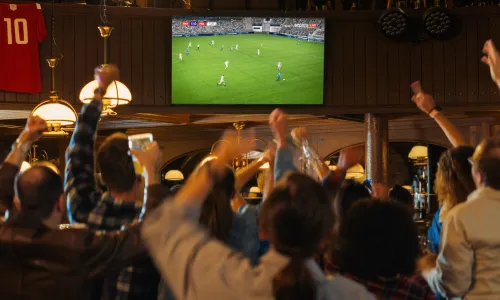
GO Technology: Game On – How Hospitality Can Win at the World Cup

We’re only in September and we’re at it again – talking about pre-orders ahead of Christmas! That’s because, when it comes to hospitality, if there’s one thing you can rely on, it’s the fact that nothing ever goes exactly to plan. You can prep for weeks, polish the cutlery until it shines, and line up your pre-orders like ducks in a row, but the big day always has a way of throwing in a surprise or two.
Sometimes it’s small (like three people swapping their mains at the table and pretending they definitely ordered it that way), and sometimes it’s big (like, say, an uninvited fire alarm deciding to go off during the event).
The truth is, in hospitality, the unexpected is inevitable. But that doesn’t mean you can’t be prepared. Pre-ordering should be the stress-busting superhero of busy service, but when it goes wrong, it can quickly turn into the villain of the piece.
That’s why we’re here. Zonal’s Customer Success team have shared the top 5 things that can (and often do) go wrong with pre-orders on the big day, and how we can help you sidestep the chaos. Because while we can’t stop the universe from throwing curveballs, we can make sure pre-order isn’t one of them.
1. The Night Before Panic
It’s the day before the Christmas parties start arriving, you’ve been chasing the party for their final pre-orders and they’ve not picked up your calls. Then the night before, they open their emails and realise they have missed their pre-order cut-off.
Our fix: Use your Host access to do it!
Pre-Order allows you to set a cut-off. This is a timeframe that you display to your guests when booking as to how long they have to make their mind up of what they will eat on the day. But we know it doesn’t always work out like that and people miss a deadline – so as a Host, we allow you to make pre-order changes within the Guest portal up until the early hours of their arrival.
Once the Guest Pre-Order cut-off has been reached, the guest will not be able to make an order. A message will show stating “Attendees cannot be added after the pre-order cut-off”. If selecting to edit an attendee choice, a red message will display showing “Pre-Ordering is now closed. Please contact the restaurant if you have not submitted your choices or if you need to discuss this further”.
The Host, however, will have the ability to add any additional attendee names to the booking, as well as make amendments to the pre-order selections. The Host cut-off will be defined in the booking summary under pre-order – for the majority, it’s configured to be around 04:00 on the day of the booking – after this point, you’ll need to make changes on the POS.

2. Arriving and changing the order
You had a neat list of who ordered what. Then once everyone has arrived, someone decides they don’t actually eat chicken, they’ve gone vegan “since Tuesday,” and suddenly the table’s a game of musical chairs with mains. Having pre-orders delayed in sending to the kitchen lets you make last-minute swaps quickly, so you’re not left with a lonely chicken dish.
Our fix: Update it on the POS.
Once a pre-order reaches the POS, they are stored on the till as delayed orders.
To view the orders, navigate to “Pick up Account” on the till (often found in Options). This will display all open accounts within the sales area.
You’ll be looking for “Delayed Orders”.
You want to select the name of the booking. when selected, it’ll present a message that “The order preparation has not been started. Request this now?” – you’ll need to select “No” here.
If you select Yes, you’ll need to quickly tell your team to stop prepping as this will send the order through to the kitchen, but it won’t have a table number.
After selecting “No”, the ticket will show. You’ll then need to select “Tables” and click the table number, for which you’ll be asked “Are you sure you want to move Account Number X to Tables XX” – to which you’ll select “All Items”.
You will now have the opportunity to pick up the account and further modify it.
If the order (as shown below) is in an orange state, it’s because the order is in a Hold state. This will prevent the order sending to the printer. You will need to select the “Hold Delayed Order” button to then release the order (it’ll revert to white text) and this, once saved, will send to the relevant printers.
Doing this means that you have the opportunity to set the table number, and make the pre-order changes at 11:30am when the event is at 12:00pm


3. The “I Definitely Didn’t Order That” Moment
A guest swears they ordered the steak. Your pre-order sheet says fish. Now you’re stuck playing referee in a battle of wills.
Our fix: Place cards, chef reports, run sheets and portals. We’ve produced many routes to viewing pre-orders on the day or in the run up.
Place Cards:
You can have these on the table for the guests arrival. Having the guests name on one side and their pre-order on the other, whether they’ve have had a tipple or their attention is not on you when handing out the food, a place card can help with that.

Chef Report:
The Chef Report can be extracted for future dates, as well as the current day. Viewing either by:
Products – for quantities of products/items,
Date – useful when selecting a date range.
Time – perfect for seeing requirements throughout the day.
Event – a break down by party.
Guest – showing a breakdown of each guest attending and their specific items ordered.

Run Sheets:
If you have our Central Reservations feature enabled, you will have Run Sheets.
A Run Sheet will offer everything you need for a booking, From booking details, to pre-orders, booking requests and even dietary requirements. A run sheet is perfect for those larger parties.
All of these are digital receipts and confirmations. Both you and the guests can see exactly what they ordered ensuring there’s no awkward debates mid-service of who ordered what, or whether they chose custard or ice cream with that Christmas Pudding!

4. The Dreaded 86’d Item
Everything’s running smoothly… until the kitchen runs out of an item on the Thursday night. Cue Friday morning, pre-orders are failing to send to the POS.
Our fix: With live menu management, sold-out dishes are instantly updated in the pre-order system. At the sender window time (for the majority it’s defined at 04:00), pre-order will fail to send to the POS as it awaits your action. It’s the system’s way of flagging that you need to act.
The Chef Report helps you manage this. Here’s some simple steps on how you can resolve an out of stock issue:


5. The Curveball You Can’t Predict
Gas leak. Fire alarm. A delivery that never arrives. Hospitality is full of chaos you can’t control. But when pre-orders run smoothly, at least it’s one less fire (sometimes literally) to put out.
Our fix: Test before the day. We can’t recommend enough that you test with your team. Maybe role play, maybe ask your Account Manager for support with one of the Customer Success team. We are here to help take the pre-order stress off your plate, so you’ve got the headspace to deal with whatever else the day throws at you.
At the end of the day, hospitality will always keep you on your toes, because if it’s not a guest changing their mind, it’s the fire alarm going off right as mains are about to go out (and yes, that happened to me with 250 covers waiting for Christmas meals on black Friday!).
While we can’t stop the unexpected, we can make sure pre-orders don’t add to the chaos. With the right system in place, you’ll save time, reduce stress, and keep your focus where it matters most: delivering a brilliant experience for your guests.
Because let’s face it – unexplained fire alarms happen. Pre-order disasters don’t have to!
Research
GO Technology: Game On – How Hospitality Can Win at the World Cup

Blog
Tech that Powers Tips and Empowers Your Team
Blog
Pubs with Rooms: A Growth Opportunity


Guides
Whitepaper: Diversifying in the Hospitality Industry to Meet Rising Costs
Blog
Understanding Guest Loyalty in 2026

Webinars & podcasts
Beyond the Stay: How trends & tech are reshaping Holiday Parks
Dining out with friends or colleagues often involves splitting the bill – a common practice that can vary based on the group’s preferences. Some may opt to divide the total bill equally, while others prefer instead to pay only for the items they ordered. As more hospitality operators adopt loyalty programs, vouchers, and gift cards, the operational complexity of splitting a bill has increased significantly over the years.
To help you understand how technology can help streamline and simplify this process, as well as provide an enhanced customer experience, Zonal’s Customer Success team explore some of the ways our technology can facilitate the process of splitting the bill.
Splitting the bill
When processing a payment on the POS, there are 3 primary methods for splitting a bill on an open account:
Even Split: divide the total equally among all parties.
Itemised Split: splitting the account by individual items.
Visual Split: allocate items based on items consumed.
The table below outlines each method, provides example scenarios, and highlights key considerations to keep in mind.
| Even Split | Visual Split | Split Account | |
|---|---|---|---|
| Description | Creates multiple bills by splitting the total amount due on the account evenly by a defined number.
The Aztec Account remains as one. |
Creates multiple bills by allocating products to individual bills as well as allowing 1 product to be split between multiple bills.
The Aztec Account remains as one. |
Splits an EPoS Account into individual accounts for each guest by moving products. This allows guests to pay for what they consumed.
A product can only be part of 1 account. The original table number remains on the first account, new account(s) use the table number followed by an alpha character. E.g. Table 1, 1A, 1B, etc. |
| Example Use Case | 3 guests order food and a bottle of wine. Each wants to pay the same amount and split the bill evenly. | 3 guests order food and 2 of the guests share a bottle of wine. Each wants to pay for the food they ordered, the bottle of wine is to be split between only 2 of the guests. | 3 guests order food and a drink each. Each wants to pay for their own food and own drink. Each guest will get their own copy of a bill. |
| Be Aware | Each guest pays the same. | This can be complex to reverse should a refund be needed, or reverting back to beginning state. Be sure to test and have your processes defined so that your teams are confident. | Doesn’t allow a product to be split between accounts. |
Now that we’ve covered the three primary ways for splitting a bill, its important to consider how additional systems like loyalty cards, rewards, vouchers, promotions, discounts and deposits can impact the process.
The table below outlines how the split bill functionality within Zonal’s POS operates when these systems have already been applied to the Aztec account, detailing how each scenario is managed during the split.
| Loyalty Rewards | Even Split | Visual Split | Split Account |
|---|---|---|---|
| Loyalty Card | The same loyalty card remains on all bills. You will be unable to remove loyalty cards or assign a new card whilst in split bill mode. Ultimately, whichever guest made the booking, or applied their loyalty card first gets the reward. | The same loyalty card remains on all bills. You have the ability to remove and add a new loyalty card. However, that one loyalty card is applied to all bills. There is no ability to add different loyalty cards to each bill. | The same loyalty card remains on all bills (accounts). In this instance however, you will have the ability to remove and add a different Loyalty card to each bill. |
| Loyalty Rewards | Loyalty rewards (promotions and/or discounts) will remain for each split and the price reduction is applied to all bills. | Loyalty rewards remain but cannot be moved from Bill 1. To apply promotions, you will need to ensure the promotional products remain on Bill 1. If the Loyalty reward is a discount, you will be unable to use visual split. | If the loyalty reward is a discount, you will be unable to split the account. Loyalty rewards remain but cannot be moved from first account (or Table). For promotions to apply, you will need to ensure the products that are part of the promotion remain on the first account (i.e., Table 1, NOT table 1A, or 1B etc). |
| Voucher Code | Voucher Codes (promotions and/or discounts) will remain and the price reduction is applied to all bills. | The item Voucher remains but cannot be moved from Bill 1. To apply promotions, you will need to ensure the promotional products remain on Bill 1. If a voucher code is a discount, you will be unable to use visual split. | The Voucher item remains but cannot be moved from the first account (or Table). For promotions to apply, you will need to ensure the products that are part of the promotion remain on the first account (i.e., Table 1, NOT table 1A, or 1B etc). If a voucher code is a discount, you will be unable to split accounts. |
| Promotion | The promotion remains and the price reduction is applied to all bills. | You will be able to use visual split. Promotions will still apply, providing all products in the promotion rule are within a single bill. | You will be able to split account. Promotions will still apply, providing all products in the promotion rule are within a single account. |
| Discount | The discount remains and the price reduction is applied to all bills. | Visual split cannot be used when a discount is applied. | An account cannot be split when a discount is applied. |
| Deposit | The deposit is applied and split between bills evenly. | The deposit remains on Bill 1 and cannot be split between bills. | An account cannot be split when a deposit is already on the Aztec account. Deposits can be partially or fully redeemed to the accounts after the account is split. |
Definitions
We know too well that terminology can often be confusing, so to help with the above tables, we’ve listed some definitions.

Customer Success Consultant at Zonal
Katie is part of the Customer Success Team working closely with multiple departments within Zonal to ensure customers are using our technology to drive retention and revenue into their business. Katie’s background is working within the hospitality industry, with a keen focus on Marketing.
Research
GO Technology: Game On – How Hospitality Can Win at the World Cup
Research
GO Technology: People vs Tech in 2026
Research
GO Technology: Consumers and hospitality: What 2025 habits reveal about the year ahead
Research
GO Technology: The new age of pub service

Research
GO Technology: The social value of hospitality

Research
GO Technology: More Than a Meal

Research
GO Technology: Why 6:12pm is the new 8pm

Research
Pub Accommodation Review 2025

Research
GO Technology: Hotels and consumers – Guest expectations and how to meet them
Built for ease of use, iServe Plus empowers staff members to efficiently take
orders and payments from any location within your venue, enhancing speed of
service, accelerating order processing, and facilitating quicker table turns. By
minimising staff visits to the bar and kitchen, iServe Plus allows your team to
focus more on delivering exceptional customer experiences.
Built for ease of use, iServe Plus empowers staff members to efficiently take
orders and payments from any location within your venue, enhancing speed of
service, accelerating order processing, and facilitating quicker table turns. By
minimising staff visits to the bar and kitchen, iServe Plus allows your team to
focus more on delivering exceptional customer experiences
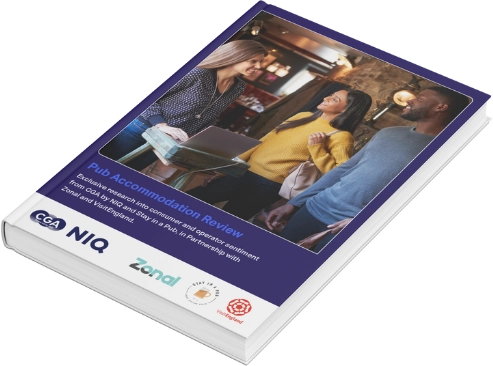
Amidst high demand for UK accommodation, there’s huge growth potential for UK pubs to boost revenue by making rooms a core part of their offering.
Whether it’s a friendly welcome, high quality food and drink, or a more relaxed, welcoming atmosphere, a stay in a pub holds broad appeal for many consumers. But what are the key factors that influence guests in choosing to book a stay in a pub? How can pubs with rooms reach more guests? And what are the potential barriers causing guests to choose to stay elsewhere?
This report, produced in partnership with CGA by NIQ, Stay In a Pub, and VisitEngland, provides an in-depth exploration of current guest sentiment towards the UK pub accommodation sector from both guests and businesses; identifying where the opportunity lies for pubs that invest in accommodation, as well as the view from pub accommodation operators.
Research
GO Technology: Game On – How Hospitality Can Win at the World Cup
Research
GO Technology: People vs Tech in 2026
Research
GO Technology: Consumers and hospitality: What 2025 habits reveal about the year ahead
Research
GO Technology: The new age of pub service
Research
GO Technology: The social value of hospitality
Research
GO Technology: More Than a Meal
Research
GO Technology: Why 6:12pm is the new 8pm
Research
Pub Accommodation Review 2025
With rising costs, increasing regulatory changes and evolving customer expectations, pubs face mounting pressure to boost revenue and increase profitability in 2025. For Lisini Pub Company, a beloved family-run operator with four vibrant locations across Lanarkshire, innovation has been the key to success.
Lisini has a long history of delivering outstanding experiences for its guests, firmly establishing itself as one of the biggest and most successful names in Scottish hospitality. Having become a beacon for the finest food, service, entertainment, events and functions in Lanarkshire – the team have enhanced their offering by introducing guest rooms at their sites. Since launching this brilliant accommodation, the company has seen a marked increase in footfall, stronger brand loyalty, and a rise in revenue.

We spoke with Siobhan Edwards, Director of Lisini Pub Company, to discover how they have transformed their business through innovation, helping them to thrive in challenging times.
What started in 1969 as a single pub founded by my parents, Harry and Kathleen Hood, has evolved into one of Scotland’s most successful and respected family-run hospitality businesses. Today, we are proud to operate five locations, offering 30 hotel rooms across our estate, and generating a turnover of £15.5 million.
Based in Lanarkshire, just outside of Glasgow, our venues are located within a short drive of each other. Each venue offers its own unique menu and atmosphere, catering to a range of tastes, yet all share the same strong, community-focused, family-run ethos.
Our dedicated team, many of whom have been with us for over a decade, help create that welcoming, family-friendly atmosphere that our customers love. From food and drinks to memorable events, our venues are the perfect place to celebrate life’s important moments — whether it’s a wedding, birthday, christening, or funeral. These connections span generations, and we’re honoured to be a part of them.
We cater to a diverse range of guests, with each venue offering something for everyone. Take Angels, for instance – a mix of bar, nightclub, and dining destination. It’s a favourite for a younger demographic, influencers, and travellers seeking great food, vibrant nights, and a memorable atmosphere.
However, the majority of our guests are local and community-oriented, with our venues offering tailored experiences that make everyone feel at home. From classic British pub fare like hearty pies and fish & chips to fresh, customer-inspired dishes, we’re always evolving to meet our guests’ tastes. With a strong family legacy and a reputation built on integrity, we’ve earned the loyalty of customers who return time and time again.
When it comes to driving revenue, offering rooms at your pub isn’t just about providing somewhere to sleep – it’s about enhancing your entire food and beverage experience too.
By adding rooms to our pubs, we’ve unlocked the opportunity to host a calendar full of exciting events, significantly boosting our bottom line. We’ve found that guests attending these events are more likely to extend their stay, ordering additional food, drinks, and treats to fully enjoy the experience.
In fact, 90% of our overnight guests tend to dine and drink on-site, creating more opportunities for additional sales and a higher spend per customer. Offering tailored packages that combine event tickets, food, drinks, and overnight stays has created multiple revenue touchpoints, ensuring our guests have a memorable experience while driving sales across the board.
Moreover, offering rooms can encourage repeat visits and foster loyalty. It may sound simple, but we’ve noticed that when guests have a positive experience at our venues, they’re more likely to return and recommend us to others. This word-of-mouth marketing, combined with the opportunity to attract bookings during peak seasons, helps not just fill rooms, but also bring in more customers to the restaurant and bar, leading to increased revenue for the business.
We are always looking at evolution. For example, we had a very small beer garden of around 30sqm in Angels Hotel, and we have invested £250k to transform this into The Vault – a social events space which will offer private karaoke, interactive darts and its own bar. For us, it’s about looking at dead spaces and dead revenue, and doing something about it, using the space we have to enhance our offering and give customers another reason to visit – whether that’s for an experience in The Vault or an overnight stay in our growing number of rooms.
Running a busy group of pubs is no easy task, but Zonal’s technology has made things much easier for us. It’s not just about working smarter; it’s about working more efficiently.
Implementing a fully integrated Property Management System (PMS) has been a game changer. It has streamlined everything from reservations and guest check-ins to sales forecasting and business performance analysis. What truly sets it apart, however, is its seamless integration with our EPoS software, stock-take system, and booking platform. Everything works in harmony, eliminating the need to spend hours reconciling orders or collecting data from separate systems. This allows our team to focus on what matters most – providing an exceptional experience for our guests.
One of the things we really appreciate about Zonal is how everything is tailored to fit our unique needs. Rather than taking a ‘one-size-fits-all’ approach, Zonal allows us to select the most effective technology for our specific needs. We’ve been able to bring everything into one place, and that’s made a huge difference in streamlining our operations and boosting efficiency.
At Lisini, we’re all about putting the customer at the heart of everything we do. That shared commitment to enhancing the customer journey has made our partnership with Zonal a perfect fit.
“We live and breathe pubs, and our technology has been serving the UK pub industry for decades. A well-integrated PMS system in pubs not only streamlines operations but also opens new avenues for revenue, from personalised guest experiences to smarter resource management. By leveraging data, pubs can diversify their offerings and unlock untapped potential, ensuring consistent growth and a competitive edge – something which is more important than ever in a dynamic market.”

Tim Chapman
Sales Director at Zonal
Research
GO Technology: Game On – How Hospitality Can Win at the World Cup
Blog
Tech that Powers Tips and Empowers Your Team
Blog
Pubs with Rooms: A Growth Opportunity
Guides
Whitepaper: Diversifying in the Hospitality Industry to Meet Rising Costs
Blog
Understanding Guest Loyalty in 2026
Webinars & podcasts
Beyond the Stay: How trends & tech are reshaping Holiday Parks

Blog
Why Hospitality Cannot Afford to Ignore the New Tipping Consultation
Research
GO Technology: People vs Tech in 2026

Blog
Building a Year-Round Hospitality Business: Inside St Austell Brewery’s Accommodation
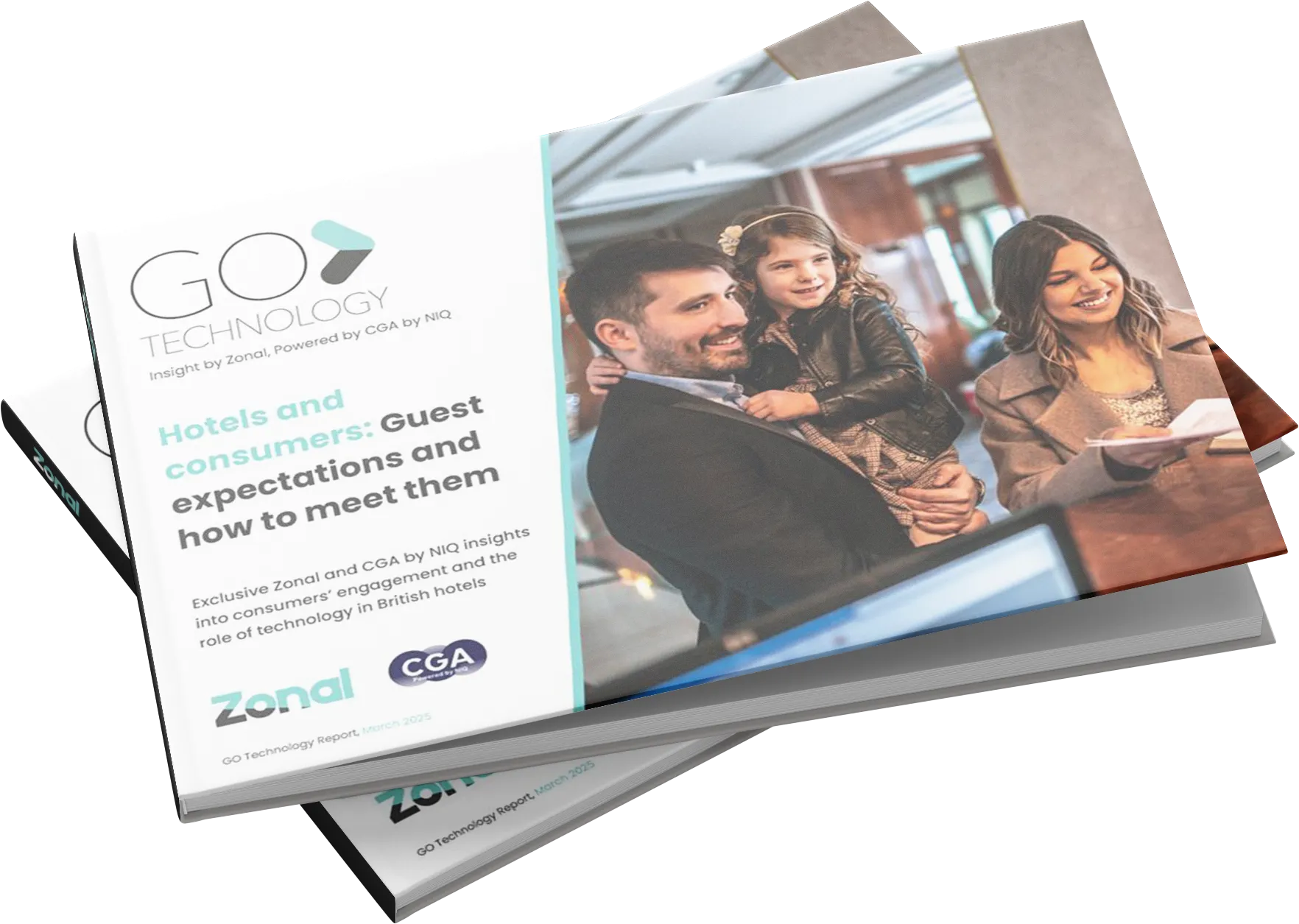
Both domestically and abroad, the demand for accommodation remains high, with 78% of consumers having stayed in a hotel in 2024.
But guests’ engagement with hotels is evolving. With more discovery tools at their disposal than ever, and plenty of choice when it comes to the type of accommodation they want to stay in, it’s vital for hoteliers and operators to understand guest behaviour to stay ahead of the game.
This report, produced in partnership with CGA by NIQ, surveyed over 3,000 British consumers to provide a deep dive into what it is guests are looking for when booking a stay in a hotel; including how often, and for what reasons, guests are staying in UK hotels, their engagement with F&B during their stay, and the factors that influence their choice of hotel when booking a stay.

Research
GO Technology: Game On – How Hospitality Can Win at the World Cup
Research
GO Technology: People vs Tech in 2026
Research
GO Technology: Consumers and hospitality: What 2025 habits reveal about the year ahead
Research
GO Technology: The new age of pub service
Research
GO Technology: The social value of hospitality
Research
GO Technology: More Than a Meal
Research
GO Technology: Why 6:12pm is the new 8pm
Research
Pub Accommodation Review 2025
We understand that managing finances is a critical part of your business, and our finance module is designed to make it as seamless as possible. Below, you’ll find answers to some of the most frequently asked questions from our customers. Whether you’re looking for guidance on correcting a float, refunding a guest or completing daily sign off, we’ve got you covered.
If you can’t find what you’re looking for, our support team is always on hand to help, get in touch today!
How do I correct a float?
*If you have floated the wrong insert or money belt, you will need to complete this process for both the insert you floated, and the correct one, to make sure they are both correct. If in any doubt, manually re-count both to confirm what money is in them and check this against the floated amount.
How do I correct a misc income or expense after a daily sign off?
*You will need to create a new entry for either a misc income or misc expense dependant on where the error has been identified.
How do I edit or delete a cash management entry before daily sign off?
*All entries made that day will be displayed, under the relevant heading.
*If you select ‘Edit’, you will be taken through all relevant screens for that entry. Work through the screens, making the required changes, until finished.
*If you select ‘Delete’, you will be asked to confirm. Once confirmed, the entry will be removed from the system.
How do I preform a safe transfer
How do I refund a guest after daily sign off?
How do I refund a guest on the same day?
* The right hand-side of the screen will show a list of tabs/tables that have been cashed off. The purple buttons in the centre of the screen can be used to filter this list to enable you to find the correct tab/table.
Select the tab/table requiring the refund from the list on the right-hand side, this will then be highlighted in yellow
*The tab/table details will be displayed on the left
A – If You Are Refunding the Entire Bill
B – If You Are Refunding Selected Items from the Bill
A – If You Are Refunding the Entire Bill
*If the guest originally paid by cash, you can now remove this from the cash drawer and return to them. If they paid by card, their card payment will now have automatically been refunded, and a customer and merchant copy refund slip will be printed.
The tab/table will now still be open with the items, and will need to be closed in one of the following ways:
B – If You Are Refunding Selected Items from the Bill
*If the guest requires a card refund, they will need to reinsert their card and follow the instructions on the EFT.
The tab/table will then be closed.
How do I reverse a walkout payment after daily sign off?
I cannot complete my daily sign off, what can I do?
Try the below options:
A – All Closed Sessions Declared
B – All Safes Counted
C – No Open Sessions
Daily operations: Start of day
Guest blog by Net Zero Now
The climate crisis is no longer a distant threat but is already having a very real impact on the hospitality industry. That impact is both direct, resulting in increased costs as supply chains are put under increasing pressure and the cost of energy increases, and indirect, driving new attitudes and expectations of customers, employees, and investors.
But with these challenges come opportunities – to improve your bottom line, to establish yourself as a leader in an increasingly eco-conscious market and to increase the value of your business.
The hospitality industry is uniquely vulnerable to the effects of climate change. Rising temperatures, extreme weather events, and shifts in global ecosystems directly affect the supply chains that businesses rely on, resulting in higher costs and lower / less reliable availability.. Energy prices are also likely to soar as demand for cooling increases and fossil fuel resources become scarcer.
Indirectly, the climate crisis is changing the attitudes of the people who make your business thrive – your customers, your employees and your investors.
Businesses also face increased regulatory pressure. In the UK, larger businesses (£36m+ t’over) are already required to report Scope 1 and 2 emissions under the Streamlined Energy and Carbon Reporting (SECR) regulations. These requirements are expected to expand in the near future, reducing the threshold to include more businesses and increasing the reporting requirements to include Scope 3 emissions (the emissions from your supply chain, including all the food and drink you buy throughout the year). This is particularly relevant to the hospitality sector which contributes up to 15% of the country’s greenhouse gas emissions (Net Zero Now, 2024, and where Scope 3 emissions account for c.70-95% of emissions, the vast majority of which comes from the food served (see Figure 1).
Figure 1: Emissions Sources from different types of hospitality business
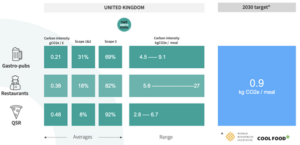
Source: Net Zero Now Customer analysis; Cool Food 2022
As Figure 1 also shows, as an industry, we have a long way to go to meet the 2030 targets for carbon emissions per meal. Getting anywhere near these targets will take more than removing plastic straws and adding a few LED lightbulbs, hospitality businesses need to understand their full carbon footprint, including Scope 3 emissions, and find ways to minimise their climate impact.
I know what you’re thinking – “it’s too expensive”, “it’s too complicated”, “we’re too busy” – and until recently, you might have been right. But…
and , as if all of the above wasn’t enough
Ready to turn the climate challenge into a business opportunity? Discover how Net Zero Now’s integration with Zonal can help you accurately measure, manage, and reduce your carbon footprint. Start your journey towards sustainability today—contact the Zonal team and see how we can support your business in leading the way to a net zero future.
Sources:
Zonal is thrilled to announce a strategic partnership with Net Zero Now, a leader in carbon accounting solutions. This integration aims to streamline carbon accounting, reduce wastage, and enhance operational efficiency for restaurants, pubs, and bars.
Empowering the hospitality industry in climate action
Net Zero Now has been at the forefront of helping hospitality businesses manage their carbon footprints, with over 3,000 sites currently using its platform to achieve sustainability goals. Developed in collaboration with Coca-Cola Euro Pacific Partners, the Net Zero Hospitality protocol, endorsed by The Sustainable Restaurant Association and Pernod-Ricard, uniquely provides comprehensive guidance for sustainability across the sector. The partnership with Zonal, which serves over 17,000 hospitality businesses, represents a transformative step in enhancing operational efficiency and environmental responsibility within the industry.
Key benefits of the integration:
Transformative impact
Zonal’s technology offers end-to-end, real-time visibility over stock management, automates procurement, and reduces wastage. Integrated with Net Zero Now, it enables precise carbon accounting, helping businesses minimise their environmental impact. This collaboration streamlines operations and empowers hospitality businesses to achieve their sustainability targets seamlessly.
“We are thrilled to partner with Zonal,” said Neil Ross Russell, Managing Director of Net Zero Now. “This integration not only streamlines carbon accounting but also empowers hospitality businesses to achieve their sustainability targets seamlessly.”
Tim Chapman, Zonal’s Chief Commercial Officer, added “We value working with partners like Net Zero Now who share our commitment to empowering businesses, allowing our customers to become more cost-effective and resilient in the face of a changing climate. Their solutions will be instrumental in helping our customers not only achieve their environmental goals, but to also make informed decisions that reduce waste, streamline operations, and ultimately create a more sustainable hospitality industry for the future.”
For more information on how this integration can benefit your business, visit Net Zero Now’s website. Schedule a demo today and take the first step towards a more sustainable future.
Research
GO Technology: Game On – How Hospitality Can Win at the World Cup
Blog
Tech that Powers Tips and Empowers Your Team
Blog
Pubs with Rooms: A Growth Opportunity
Guides
Whitepaper: Diversifying in the Hospitality Industry to Meet Rising Costs
Blog
Understanding Guest Loyalty in 2026
Webinars & podcasts
Beyond the Stay: How trends & tech are reshaping Holiday Parks
Blog
Why Hospitality Cannot Afford to Ignore the New Tipping Consultation
Research
GO Technology: People vs Tech in 2026

